Platform administration
12 guides
-
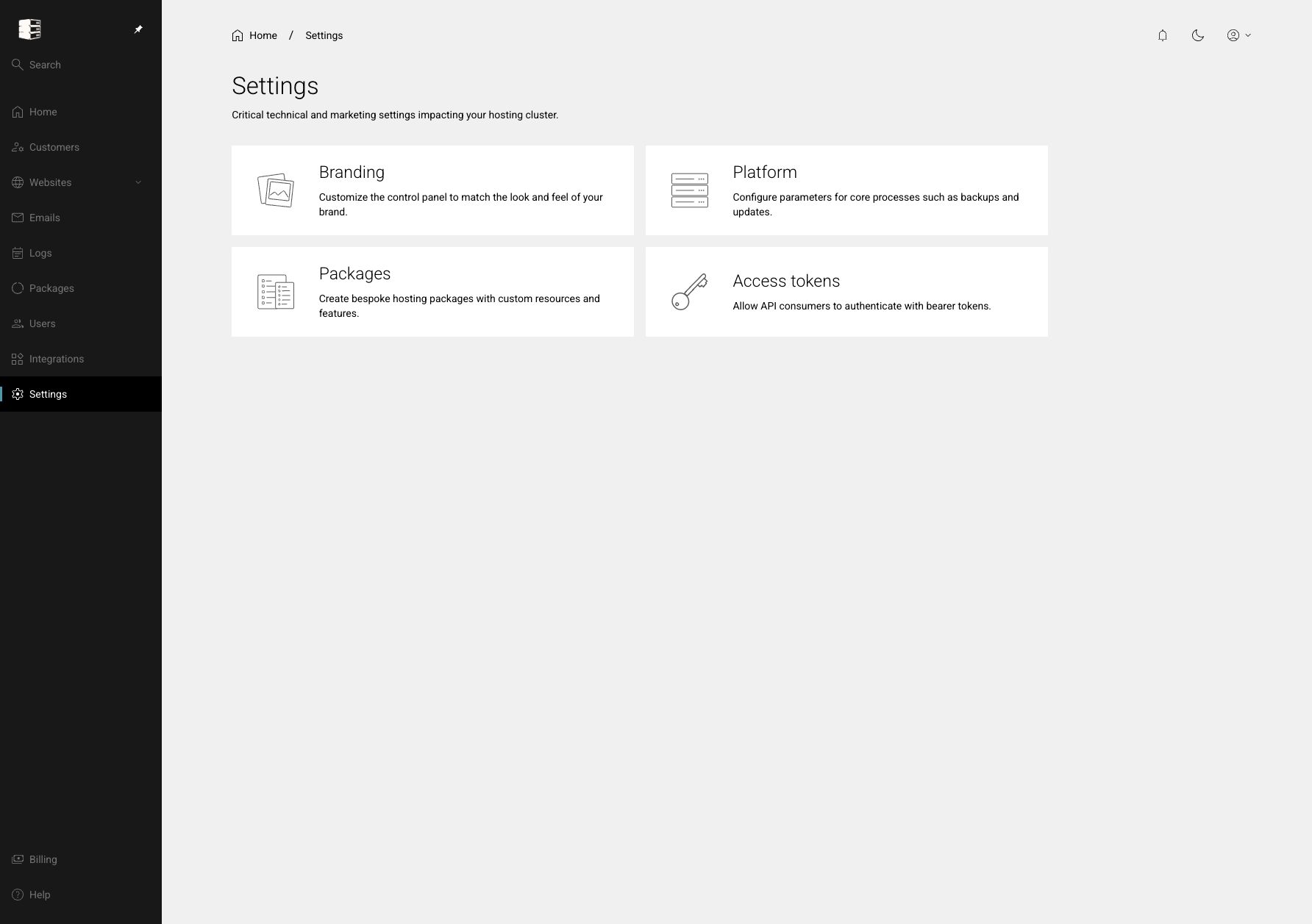 Use the platform settings area
Open the administrator-only controls for branding, platform domains, package templates and API access tokens.
Settings
Use the platform settings area
Open the administrator-only controls for branding, platform domains, package templates and API access tokens.
Settings
-
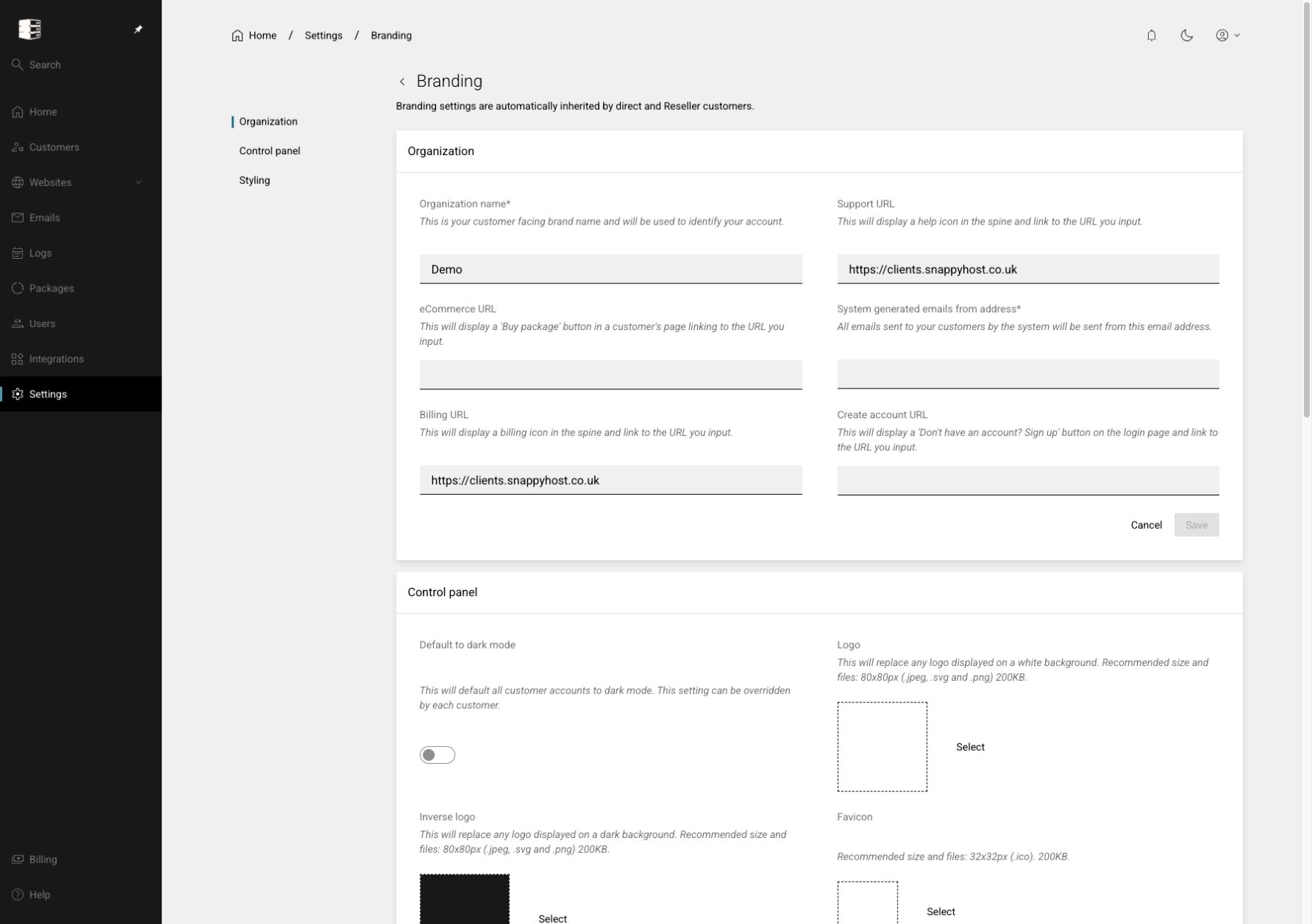 Configure Platform Branding
Apply your organisation name, customer links, logos, login imagery, fonts, colours and button styling.
Settings → Branding
Configure Platform Branding
Apply your organisation name, customer links, logos, login imagery, fonts, colours and button styling.
Settings → Branding
-
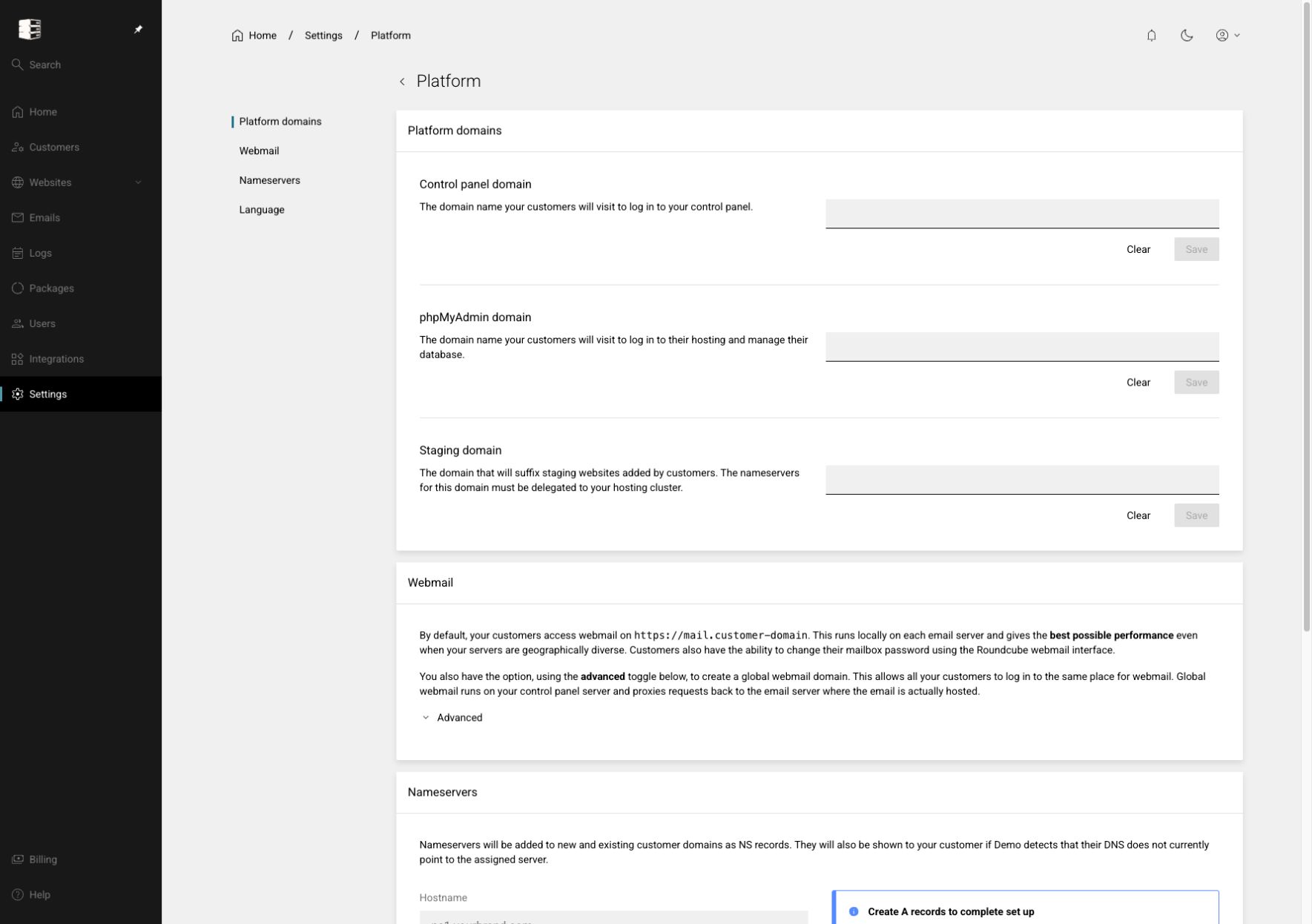 Configure platform domains and webmail
Set the customer control-panel, phpMyAdmin and staging domains, and decide how customers reach webmail.
Settings → Platform → Platform domains / Webmail
Configure platform domains and webmail
Set the customer control-panel, phpMyAdmin and staging domains, and decide how customers reach webmail.
Settings → Platform → Platform domains / Webmail
-
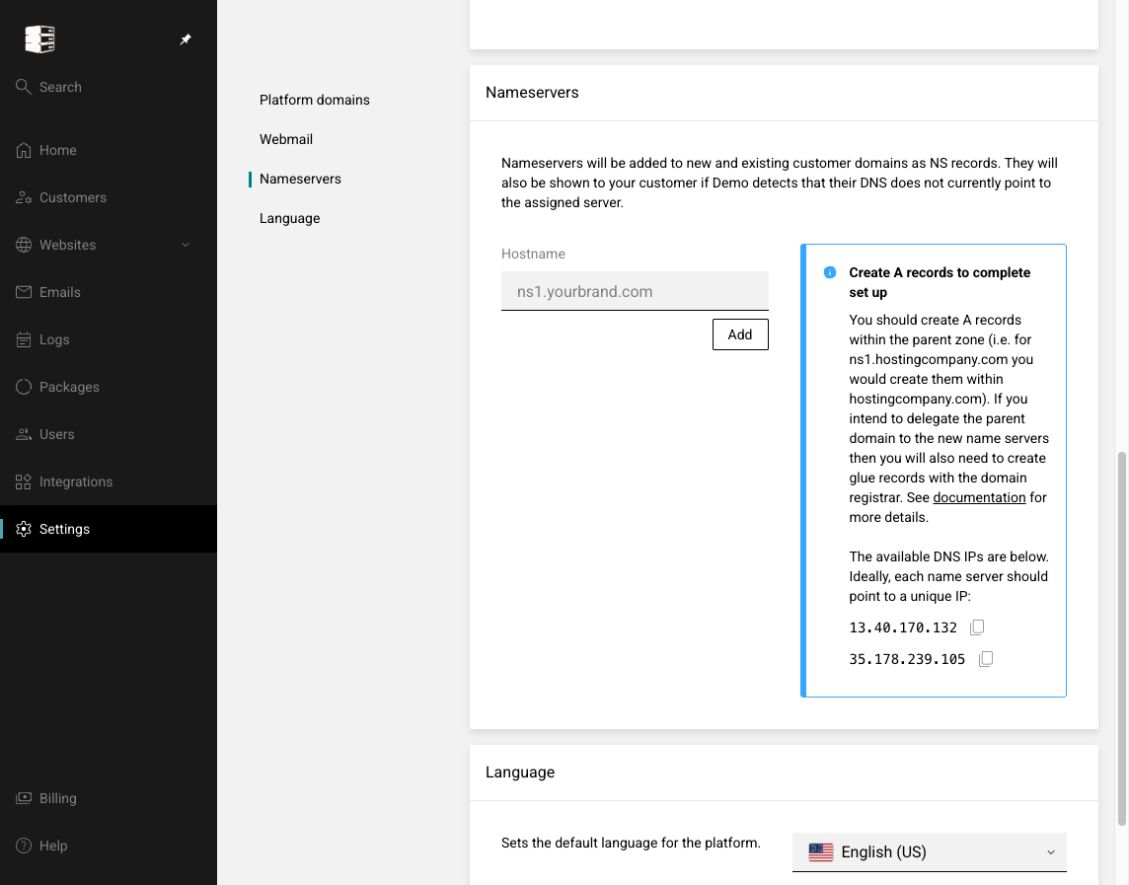 Configure branded nameservers
Add nameserver hostnames, create matching address and glue records, and advertise them to customers.
Settings → Platform → Nameservers
Configure branded nameservers
Add nameserver hostnames, create matching address and glue records, and advertise them to customers.
Settings → Platform → Nameservers
-
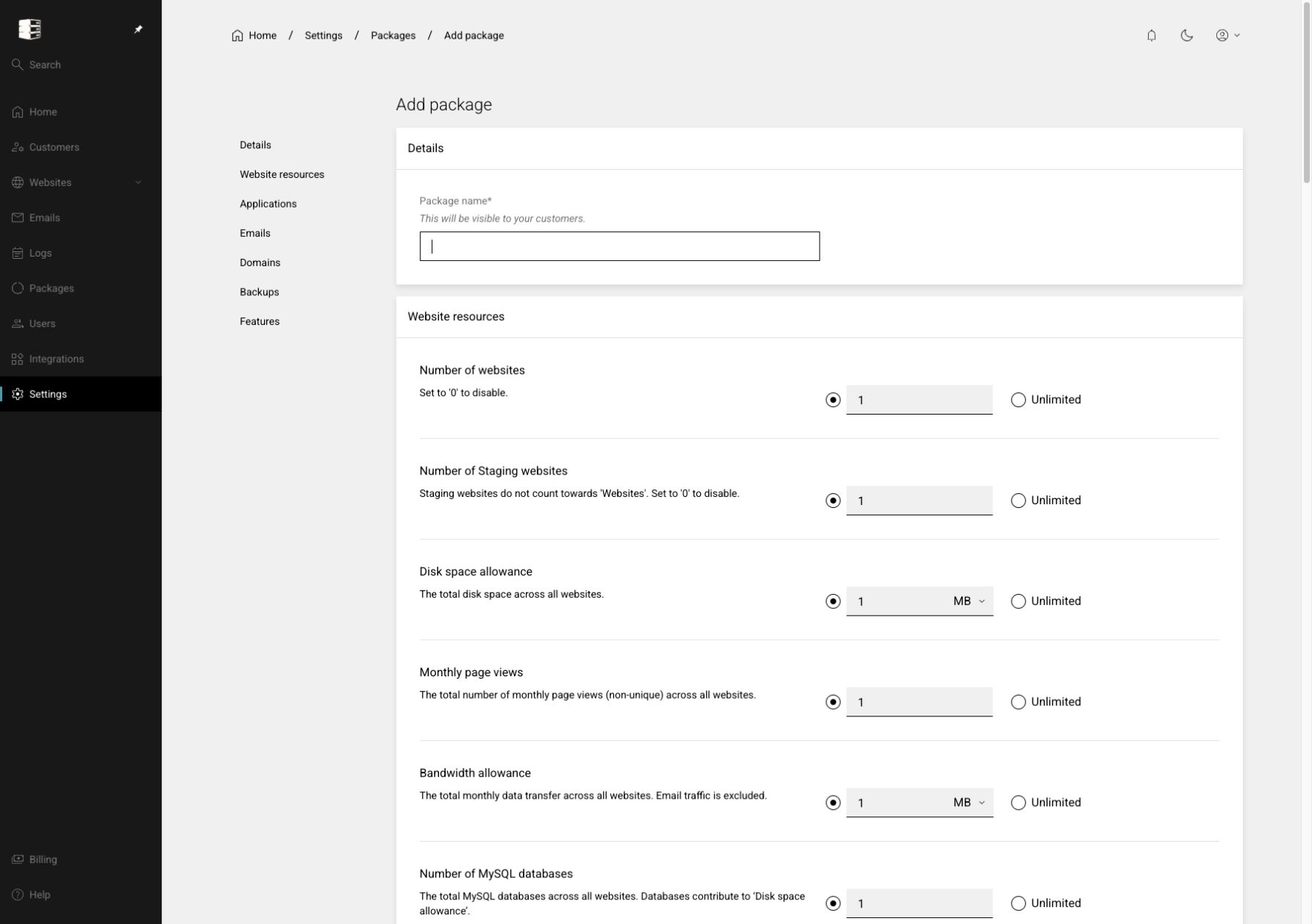 Create a hosting package template
Define the resources, applications, mailboxes, domains, backups and technical features offered to a customer.
Settings → Packages → Add package
Create a hosting package template
Define the resources, applications, mailboxes, domains, backups and technical features offered to a customer.
Settings → Packages → Add package
-
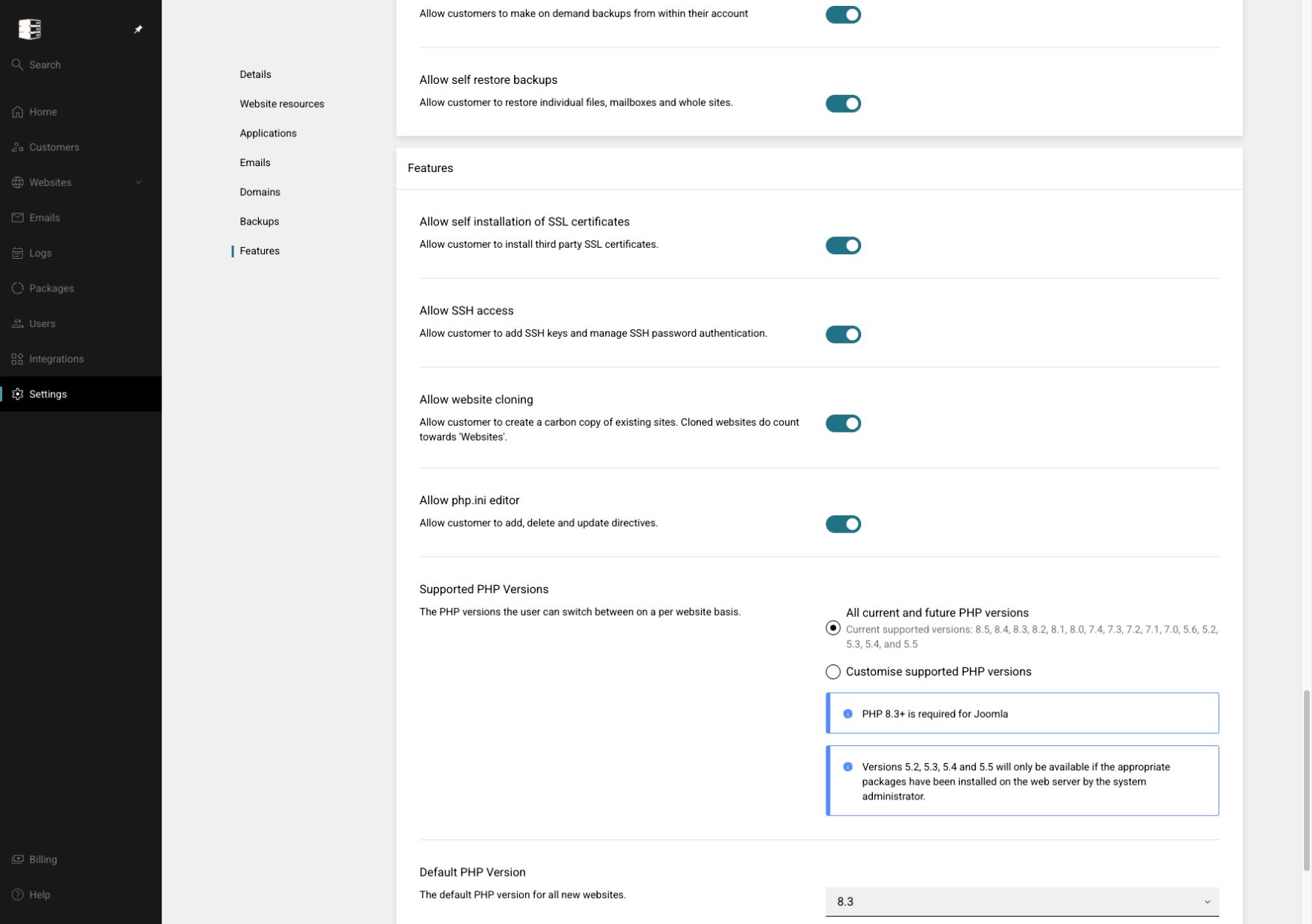 Control package applications and advanced features
Decide which application, WordPress, backup, DNS, PHP, SSH, SSL and Redis controls a subscribed customer receives.
Settings → Packages → package → Applications / Backups / Features
Control package applications and advanced features
Decide which application, WordPress, backup, DNS, PHP, SSH, SSL and Redis controls a subscribed customer receives.
Settings → Packages → package → Applications / Backups / Features
-
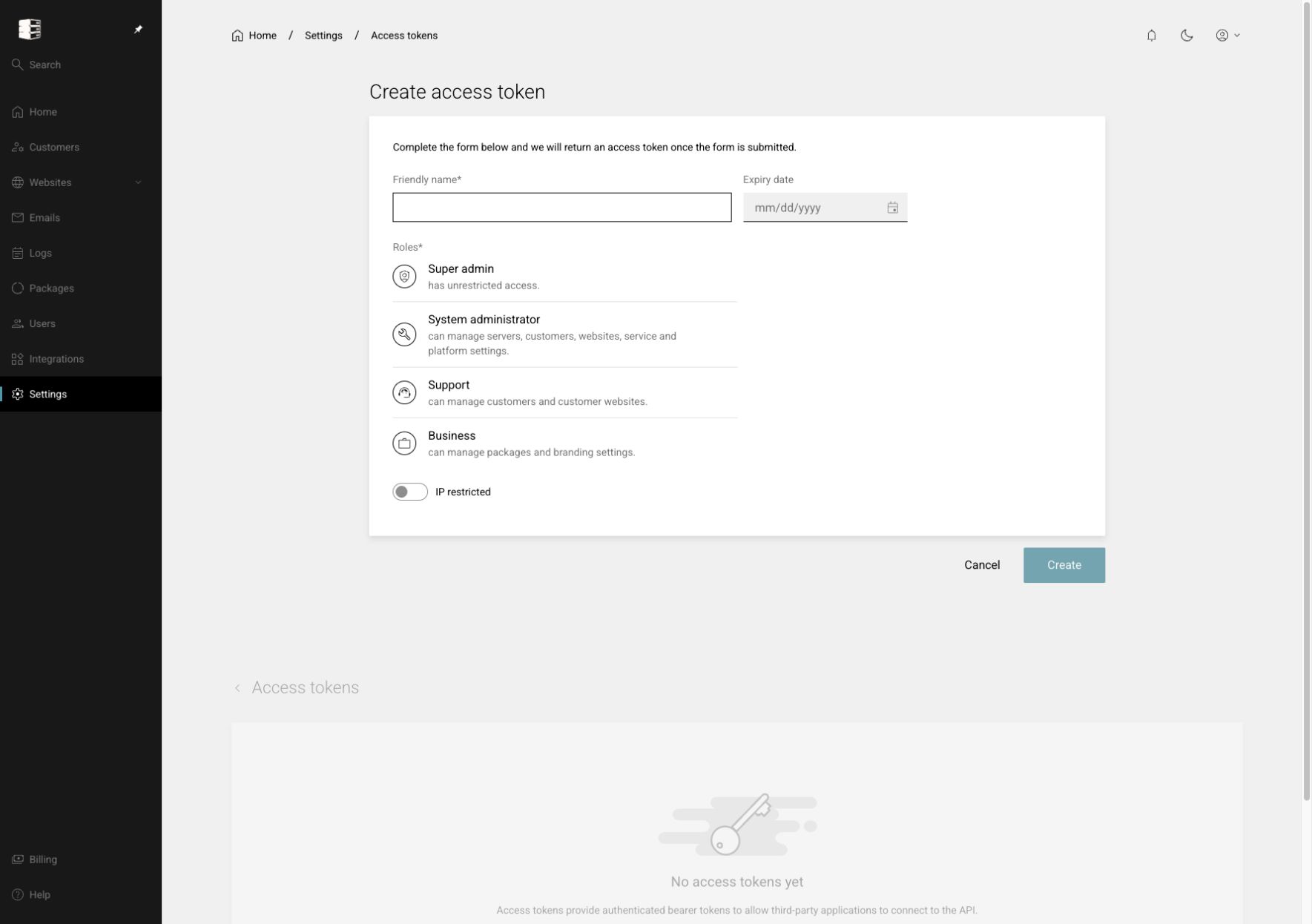 Create and manage Platform API access tokens
Issue time-limited bearer tokens with an appropriate administrator role and optional IP restriction.
Settings → Access tokens → Create token
Create and manage Platform API access tokens
Issue time-limited bearer tokens with an appropriate administrator role and optional IP restriction.
Settings → Access tokens → Create token
-
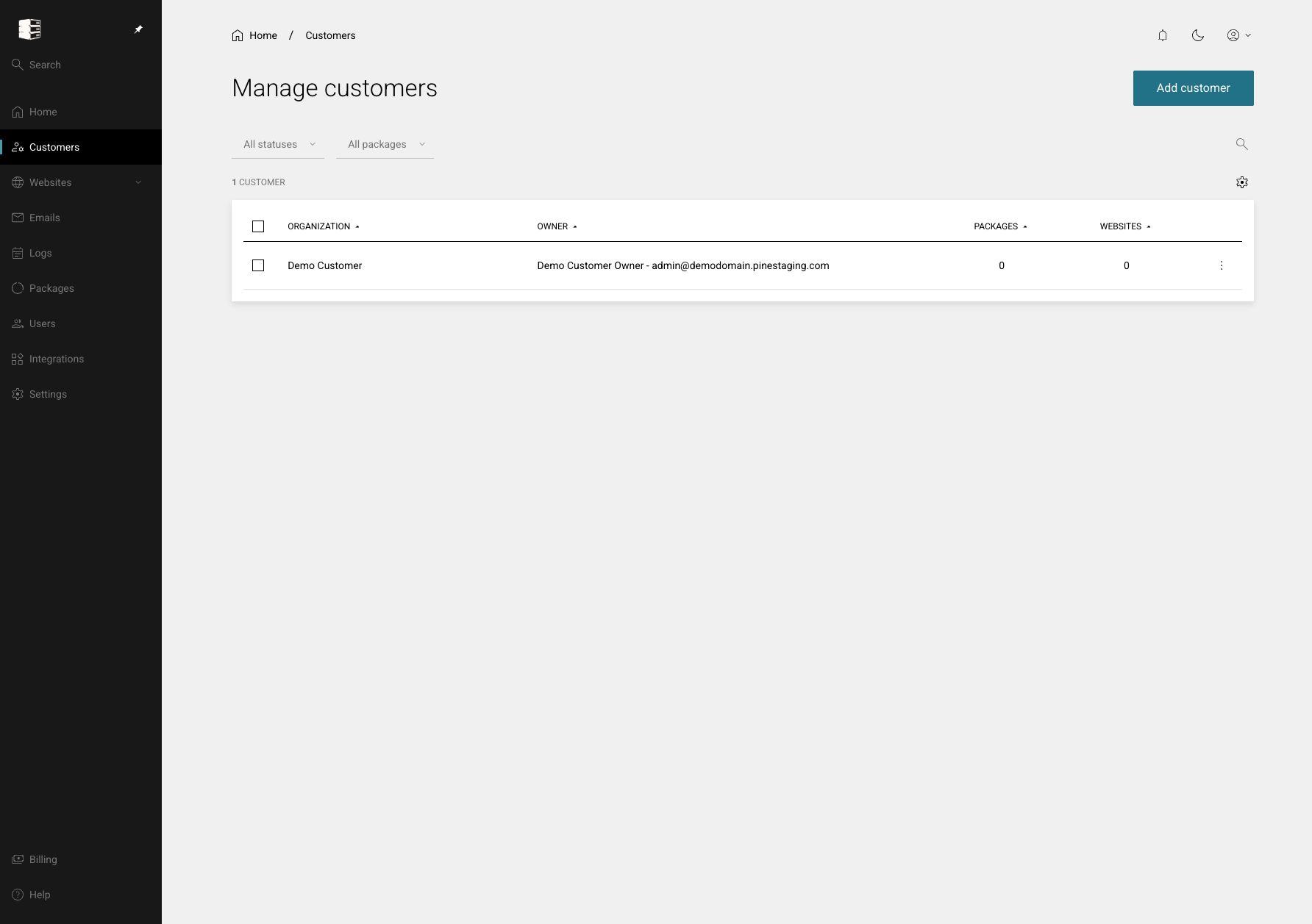 Manage customer organisations
Search customer organisations, review owners and subscriptions, and open a customer workspace.
Customers
Manage customer organisations
Search customer organisations, review owners and subscriptions, and open a customer workspace.
Customers
-
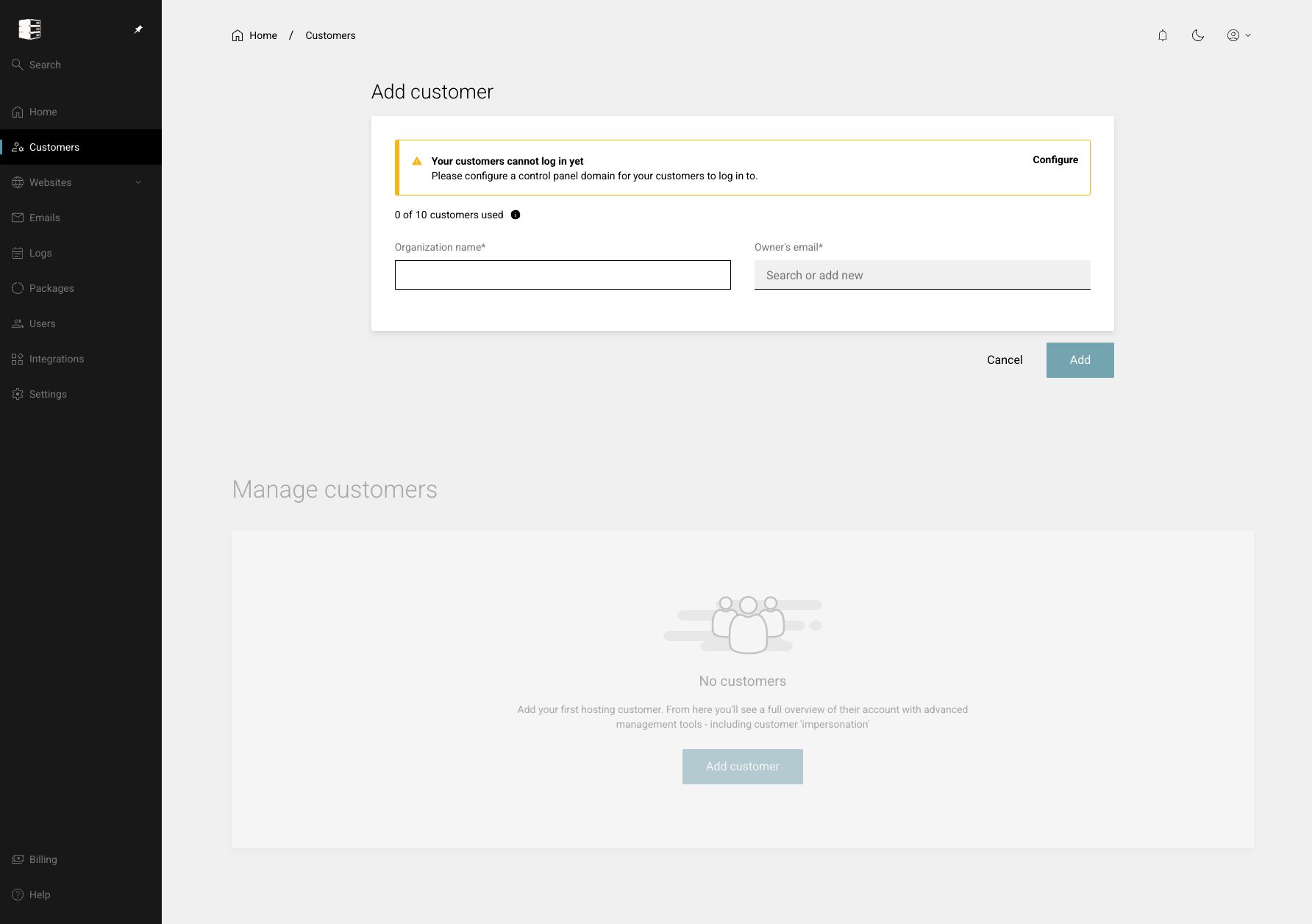 Add a customer organisation
Create a customer organisation and its first owner account, then make it ready for hosting subscriptions.
Customers → Add customer
Add a customer organisation
Create a customer organisation and its first owner account, then make it ready for hosting subscriptions.
Customers → Add customer
-
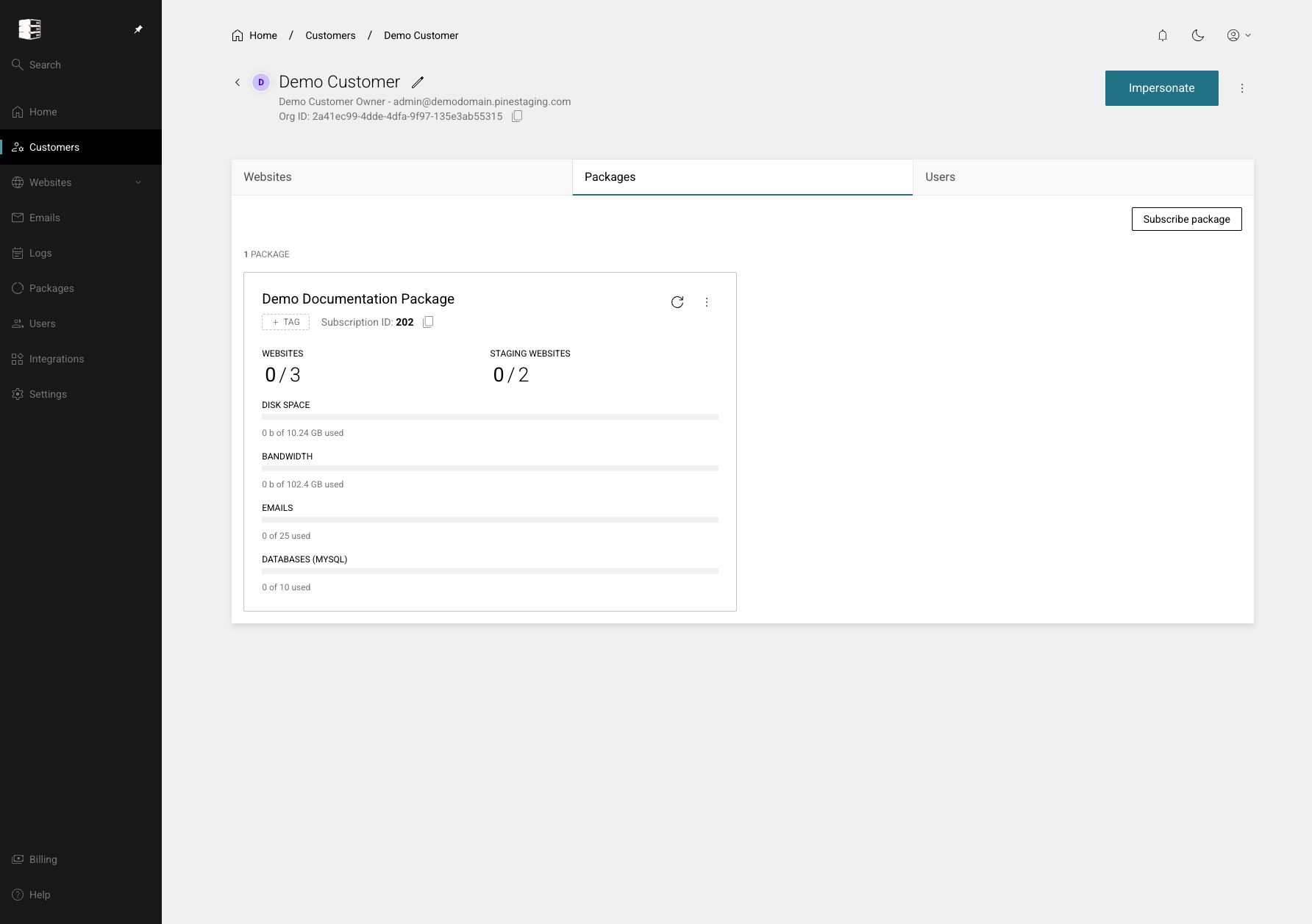 Subscribe a customer to a package
Attach a hosting package to a customer and track its resource usage against the package limits.
Customers → customer → Packages → Subscribe package
Subscribe a customer to a package
Attach a hosting package to a customer and track its resource usage against the package limits.
Customers → customer → Packages → Subscribe package
-
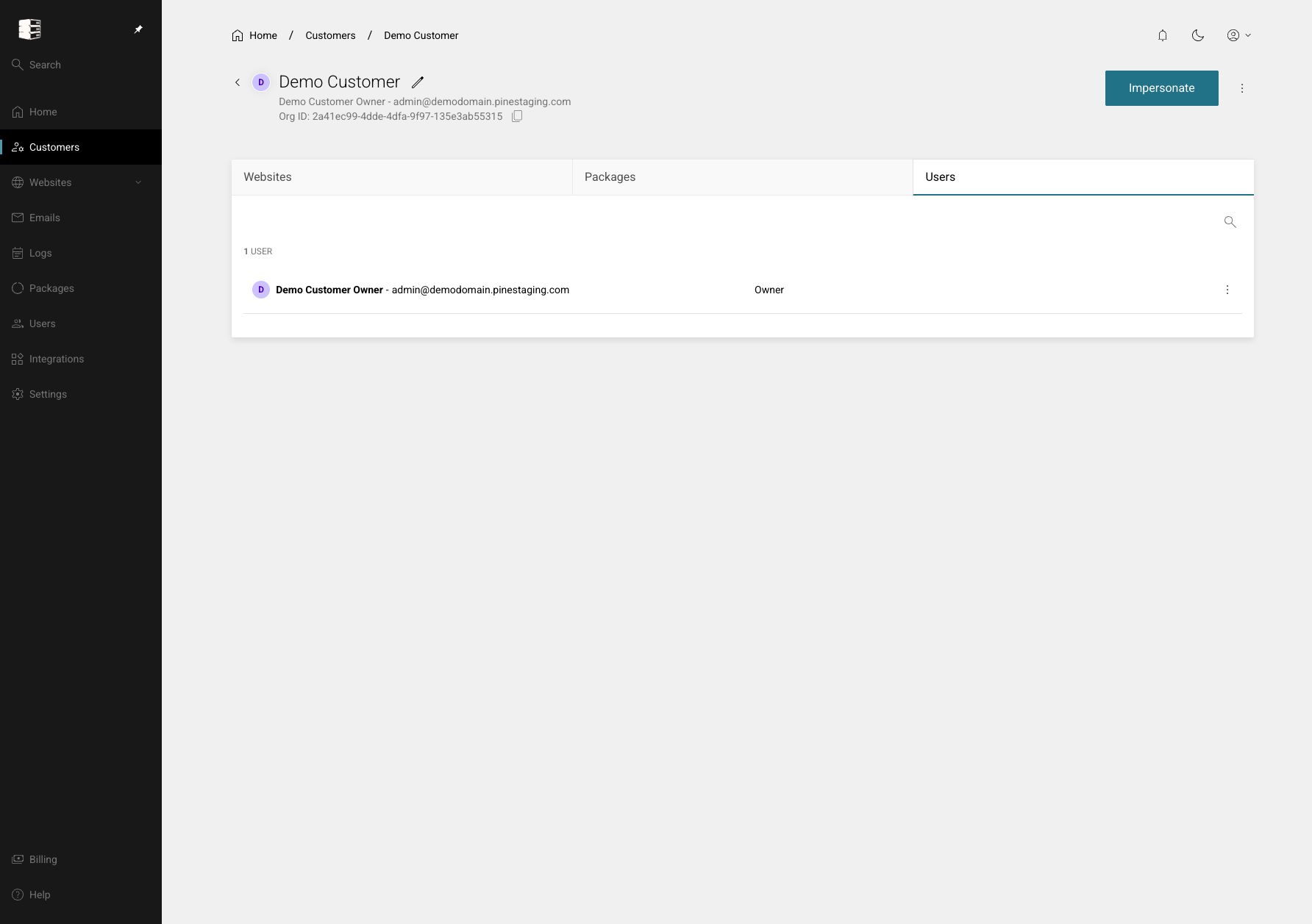 Manage users for a customer
Add, find and maintain the people who can sign in to a specific customer organisation.
Customers → customer → Users
Manage users for a customer
Add, find and maintain the people who can sign in to a specific customer organisation.
Customers → customer → Users
-
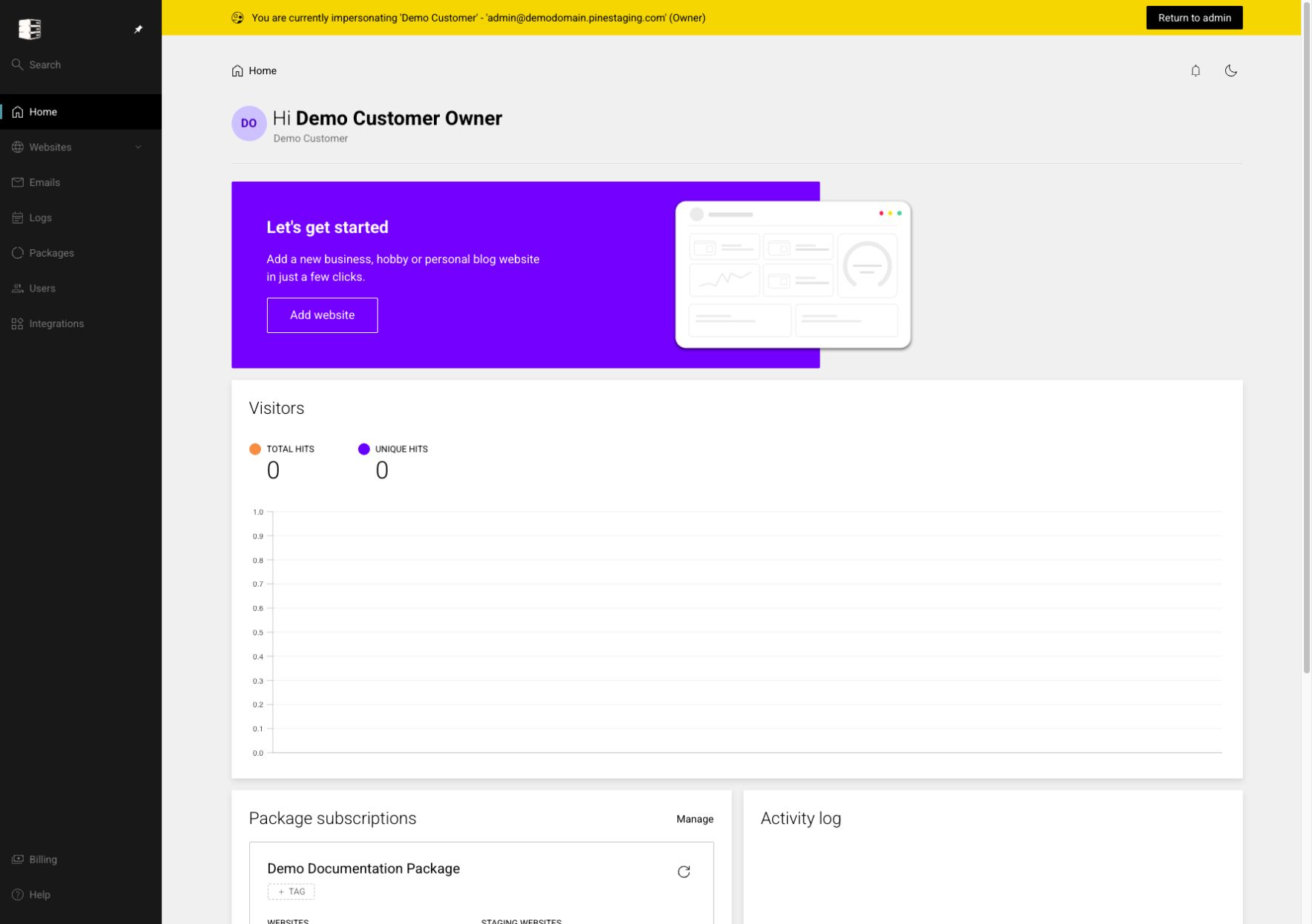 Impersonate a customer safely
Enter the customer's view for support troubleshooting, then return explicitly to the administrator account.
Customers → customer → Impersonate
Impersonate a customer safely
Enter the customer's view for support troubleshooting, then return explicitly to the administrator account.
Customers → customer → Impersonate